Storing API tokens in the macOS Keychain draft
Obviously you shouldn’t put API tokens in plaintext config files. They end up in version control, shell history, and any process you launch inherits them. Instead, store them in a secure credential store and load them on demand in the shell that needs them. macOS already ships one: the Keychain.
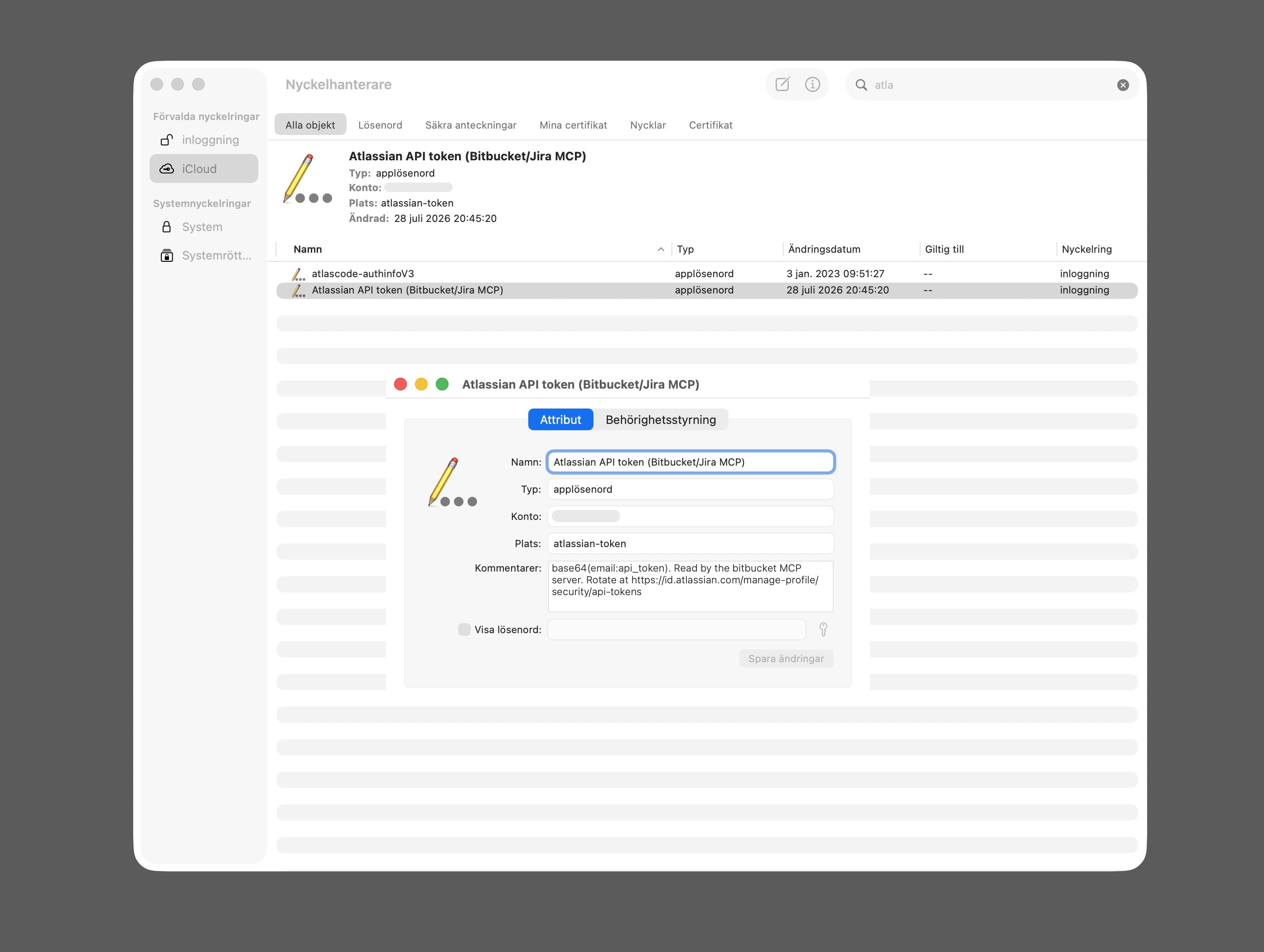
Storing an API token in the macOS Keychain
Storing the token is a one-liner:
security add-generic-password -U -s bitbucket-api-token -a "$USER" -w-s bitbucket-api-token— the item’s name, the handle later lookups use to find it-a "$USER"— the account it belongs to (required, but mostly metadata)-U— overwrite if the item already exists, so re-running the command rotates the token-w— bare, with no value after it:securityprompts for the secret — hidden input, typed twice — so the token never touches the command line or~/.zsh_history. The man page even recommends this form.
Reading it back is
security find-generic-password -w -s bitbucket-api-token -a "$USER". No
“allow access?” dialog appears, because the Keychain automatically trusts the
app that created an item — and security is both creator and reader here.
Letting a coding agent read the token
A side effect of this pattern showed up when Claude Code needed my Atlassian token to open a pull request on Bitbucket. The agent has no credentials of its own, and pasting a token into a chat is a habit worth breaking — not because a lookup keeps the value out of the transcript (the command’s output lands there just the same), but because nothing sits in plaintext at rest, and the keychain lookup composes neatly with the agent’s permission system: allow exactly one command, and nothing else.
{
    "permissions": {
        "allow": [
            "Bash(security find-generic-password -w -s bitbucket-api-token)"
        ]
    }
}
That’s an exact-match rule in the project’s .claude/settings.local.json — no
wildcard, so a lookup of any other keychain entry still gets blocked. The
agent fetches the token on demand, and the config file holds no secret — just
a pointer to where it lives.
Two guardrails I was happy to see hold up in practice: Claude Code’s permission classifier refuses keychain reads by default, so the token was unreachable until I granted the rule. And when the agent tried to add that allow rule to the settings file itself, the classifier blocked that too — self-escalation is off the table. Granting access stays a human step, which is exactly where it belongs.
The MCP server that consumes it
The Bitbucket work itself goes through
mcp-server-atlassian-bitbucket,
an MCP server that gives the agent tools over the Bitbucket REST API — I use
it to create pull requests, read and answer PR comments, and work with
snippets. It authenticates with two environment variables,
ATLASSIAN_USER_EMAIL and ATLASSIAN_API_TOKEN, which is where a token
usually ends up pasted into an MCP config in plaintext.
The obvious move is to inline the lookup in the server’s command:
"command": "zsh",
"args": [
    "-c",
    "ATLASSIAN_API_TOKEN=\"$(security find-generic-password -w -s bitbucket-api-token)\" exec npx -y @aashari/mcp-server-atlassian-bitbucket"
]
That reads well and then fails on any machine using nvm. zsh -c is not an
interactive shell, so it sources .zshenv and nothing else — never .zshrc,
which is where nvm’s shell function normally lives. No nvm means no node on
PATH, which means no npx, and the server dies before it ever gets to use
the token it just read. Nesting quotes inside JSON inside a shell string is its
own small misery on top.
A wrapper script is a better home for both problems —
~/.local/bin/bitbucket-mcp:
#!/bin/sh
set -e

# MCP servers are spawned by the editor, not by an interactive shell, so nvm
# has never run and node is not on PATH. Resolve it here.
if ! command -v npx >/dev/null 2>&1; then
    default="$(cat "$HOME/.nvm/alias/default" 2>/dev/null || true)"
    bin="$HOME/.nvm/versions/node/v${default#v}/bin"
    if [ ! -x "$bin/npx" ]; then
        # Alias missing or indirect (lts/*); fall back to the newest install.
        bin="$(/bin/ls -d "$HOME"/.nvm/versions/node/*/bin | sort -V | tail -1)"
    fi
    PATH="$bin:$PATH"
    export PATH
fi

ATLASSIAN_USER_EMAIL='me@example.com'
ATLASSIAN_API_TOKEN="$(security find-generic-password -w -s bitbucket-api-token -a "$USER")"
BITBUCKET_DEFAULT_WORKSPACE='my-workspace'
export ATLASSIAN_USER_EMAIL ATLASSIAN_API_TOKEN BITBUCKET_DEFAULT_WORKSPACE

exec npx -y @aashari/mcp-server-atlassian-bitbucket "$@"
The registration then points at the script, and carries no secret and no environment at all:
{
    "mcpServers": {
        "bitbucket": {
            "type": "stdio",
            "command": "/Users/me/.local/bin/bitbucket-mcp"
        }
    }
}
Where that block lives decides how far it reaches. In a project’s .mcp.json
it exists for that one repo; at the top level of ~/.claude.json it loads in
every project — which is what I want, since the Bitbucket repos I work in are
scattered across several directories.
A detail worth spelling out: this path needs no permission rule at all. The allow rule further up is for when the agent itself runs the lookup as a shell command. Here the keychain read happens inside the wrapper, in the server’s own process at startup, so Claude Code never sees it as a tool call. Handy way to sanity-check the wrapper, incidentally — run it under an empty environment and it still has to find both node and the token:
env -i HOME="$HOME" USER="$USER" PATH=/usr/bin:/bin ~/.local/bin/bitbucket-mcpThe scopes will bite you
Scoped API tokens grant nothing by default. You pick the scopes when you create
the token, and the set is easy to get wrong — mine had the pull request and
snippet scopes but not read:repository:bitbucket, so every repository call
came back 403 with a pleasingly explicit body:
{
    "message": "Your credentials lack one or more required privilege scopes.",
    "detail": {
        "required": ["read:repository:bitbucket"],
        "granted": ["read:pullrequest:bitbucket", "write:pullrequest:bitbucket"]
    }
}
Which is a reminder that “auth works” and “the token is useful” are two
separate checks. A 401 means the keychain plumbing is broken; a 403 like this
one means the plumbing is fine and the token is simply too narrow. Scopes are
fixed at creation, so widening one means minting a new token — and that is the
one-liner from the top of this post again, -U overwriting the old entry in
place while every config file that points at it stays untouched.
That is the whole appeal of the pattern. The secret has exactly one home, and everything that needs it — a shell, an agent, an MCP server — holds a pointer instead of a copy.