Save bookmarks to with Obsidian CLI using a macOS Quick Action draft
I keep a daily note in Obsidian for anything I want to remember from a given day. Meetings, ideas, reading. Obsdian already has an excellent web clipper to highlight and capture web pages.
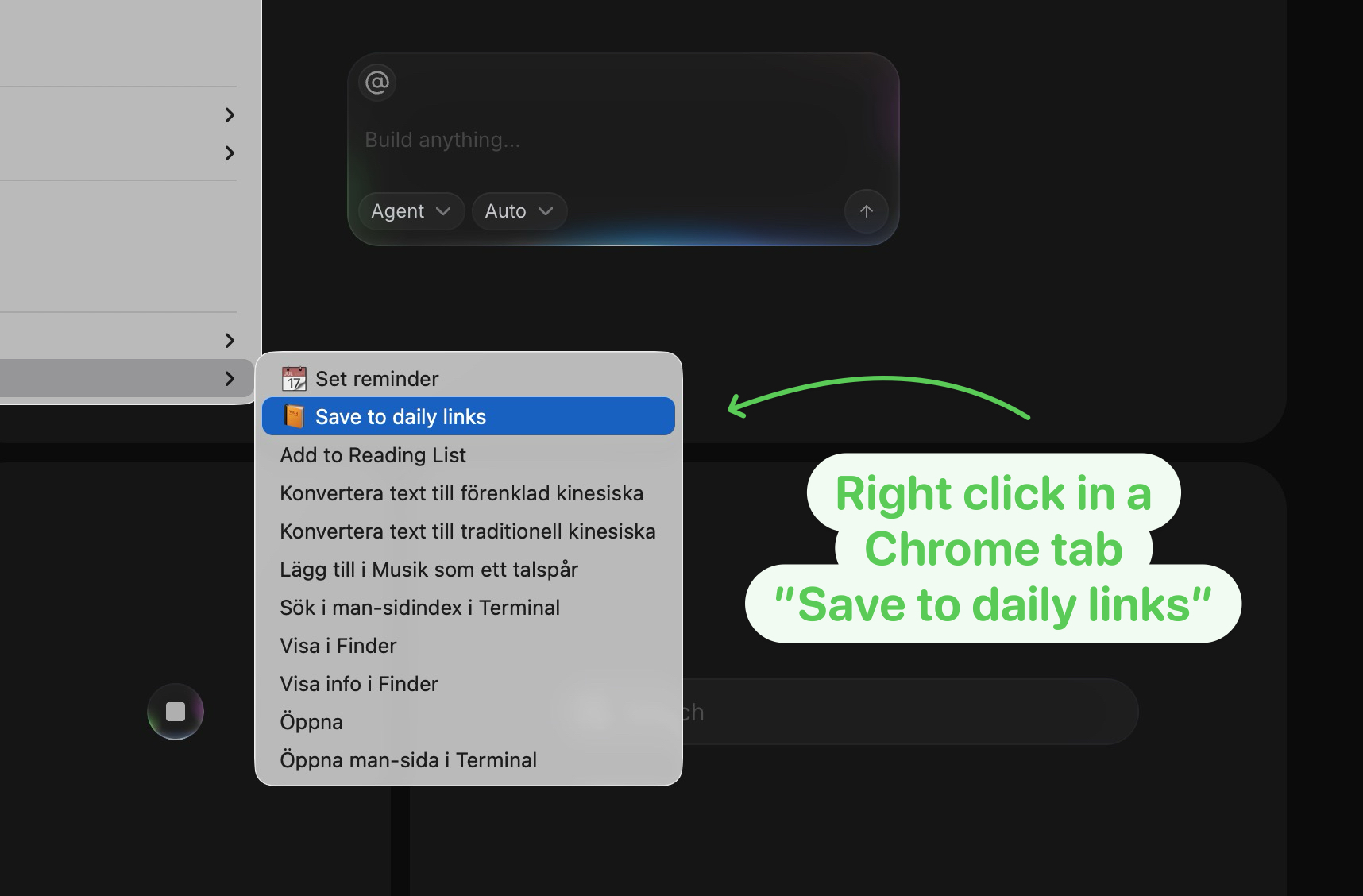
I just wanted a very simple right click command to bookmark the current page as a markdown link in today’s daily note, without needing to open the clipper UI or mess with tags or folders.
So I built a macOS Quick Action that does it in one keystroke. Trigger it from any Chrome tab and it appends a markdown bullet like this to today’s journal note:
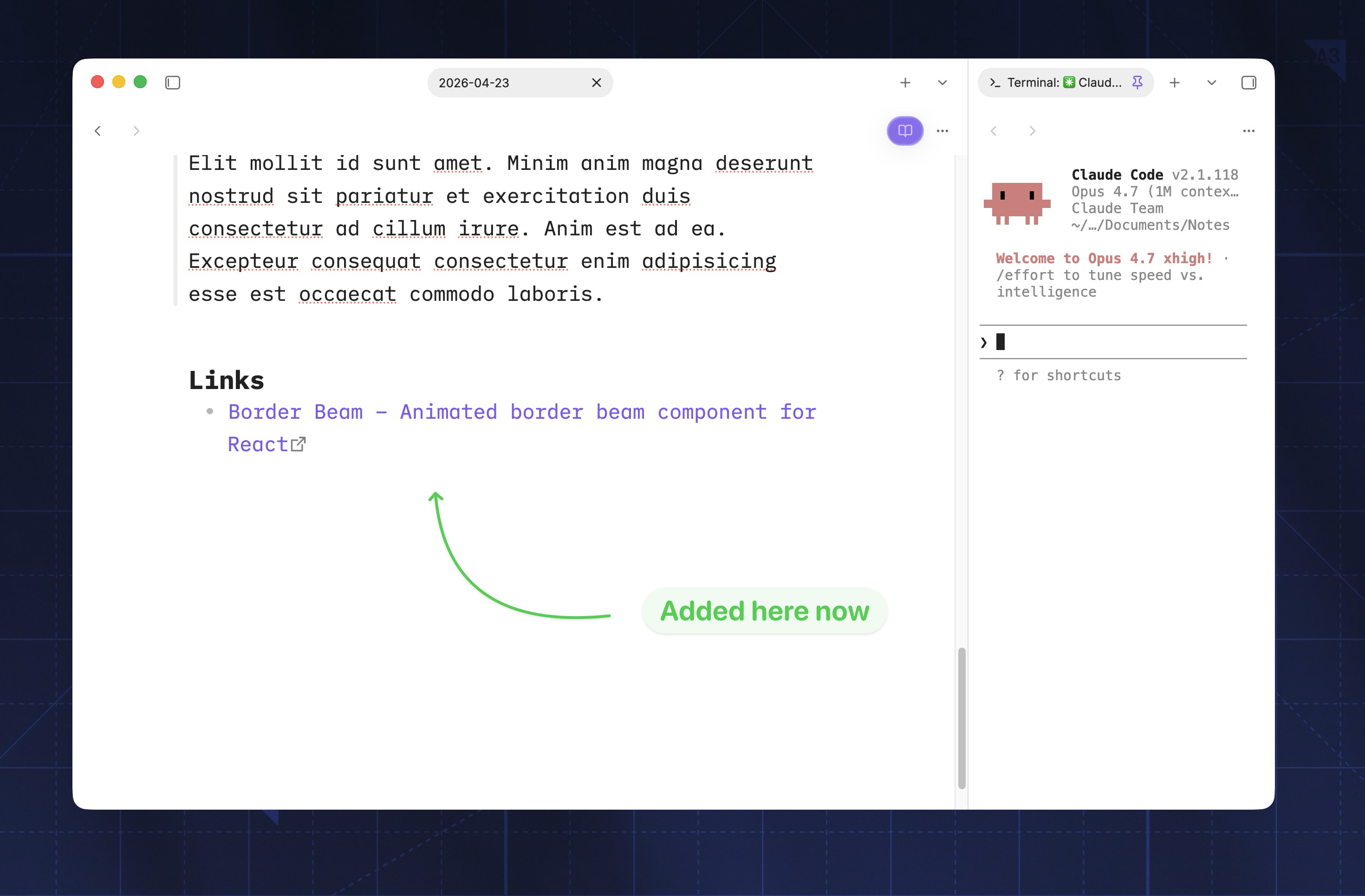
If the daily note doesn’t exist yet, Obsidian creates it on first append.
The pieces
The setup is a macOS Automator Quick Action running an AppleScript that grabs the active Chrome tab’s URL and title, then shells out to the Obsidian CLI to append a bullet to today’s daily note.
Obsidian CLI
The Obsidian CLI ships with Obsidian 1.12+ and turns the app into something you can drive from a terminal or a script. Turn it on once under Settings → General → Command line interface → register and you get an obsidian binary on your PATH.
The command I’m using here is:
obsidian vault=Notes daily:append content="- 22:31 [Page title](https://example.com)"But the CLI covers most of what the app itself can do — opening today’s note, searching the vault, reading the active file, running any command from the command palette, even reloading a plugin you’re developing. A few examples from the docs:
obsidian daily                                  # open today's note
obsidian search query="meeting notes"           # search the vault
obsidian read                                   # print the active file
obsidian command id=editor:toggle-checklist     # run a palette command
One caveat: Obsidian has to be running when the command fires. If it isn’t, the first invocation launches it, which adds a second or two of cold-start.
The AppleScript
Open Automator → New Document → Quick Action. Set Workflow receives to no input in any application. Drag in a Run AppleScript action and paste:
on run {input, parameters}

	-- Get Chrome tab info
	tell application "Google Chrome"
		if not (exists front window) then error "No Chrome window."
		set currentURL to URL of active tab of front window
		set pageTitle to title of active tab of front window
	end tell

	-- Time + bullet entry
	set currentTime to do shell script "/bin/date +%H:%M"
	set noteLine to "- " & currentTime & " [" & pageTitle & "](" & currentURL & ")"

	-- Append to today's daily note via Obsidian CLI
	set obsidianCLI to "/Applications/Obsidian.app/Contents/MacOS/obsidian"
	do shell script obsidianCLI & " vault=Notes daily:append content=" & quoted form of noteLine

	return input
end run
Save it with a sensible name — mine is “Save link to Obsidian”.