Bitbucket PR Reviewer Groups
I got tired of adding the same handful of reviewers to every PR at work. I jump between different projects, and each one has its own set of people who need to review — the UI team for frontend changes, QA for testing, sometimes a backend lead. I also work with marketing teams, and they have their own reviewers.
So I built a small Chrome extension for it. It’s the kind of thing that should take five seconds, and now it does.
How it works
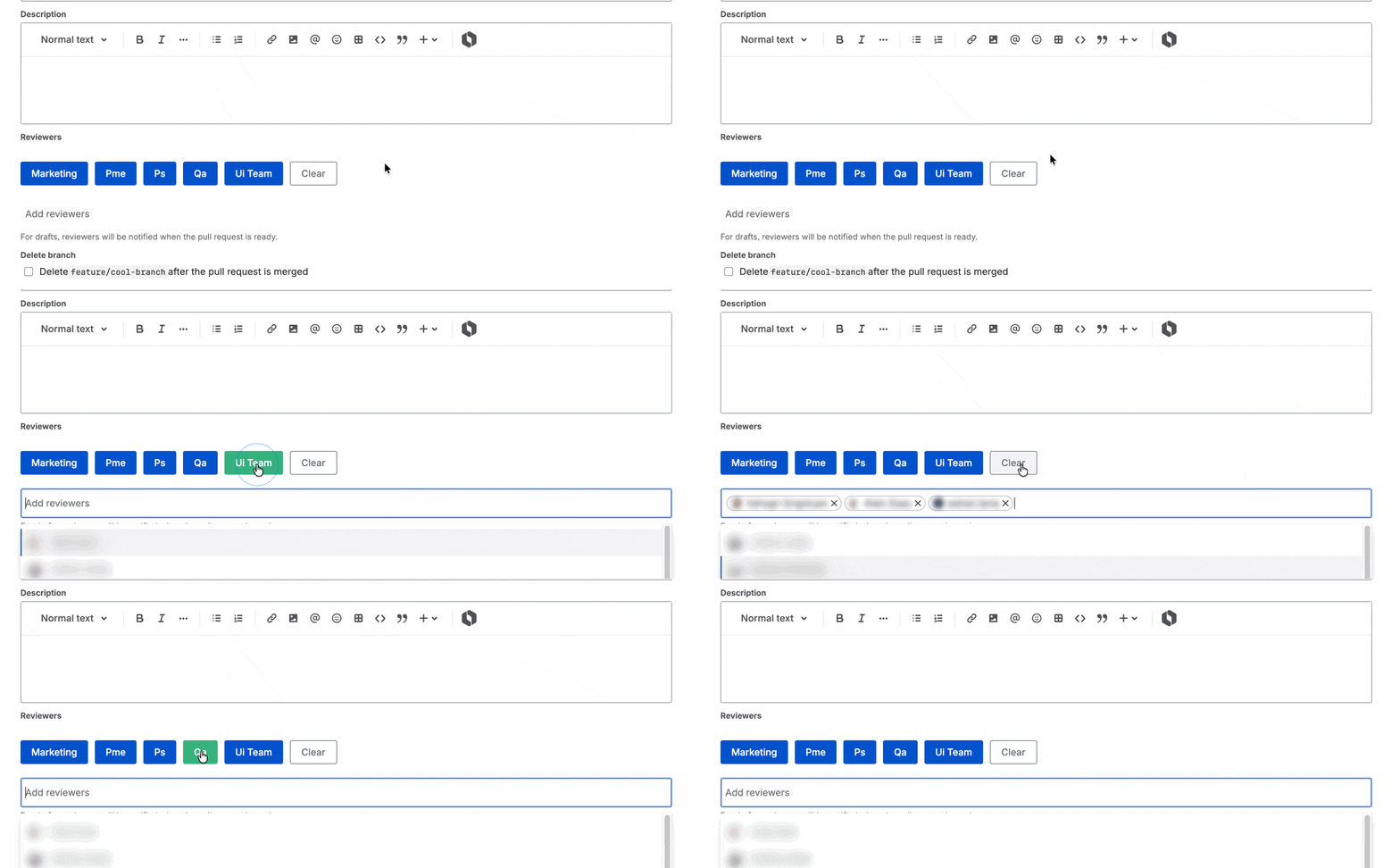
A content script runs on Bitbucket PR creation pages/modals, finds the reviewer field, and renders the configured group buttons next to it.
It injects buttons like UI Team or QA above the reviewer selector on Bitbucket’s PR creation page. Click one, and every member of that group is added as a reviewer in one go. Each button programmatically opens the reviewer dropdown and selects the matching usernames — the same flow you’d run by hand, just batched.
Configuring groups
Groups are configured on the extension’s options page. Right click the extension icon and choose “Options” to open it.
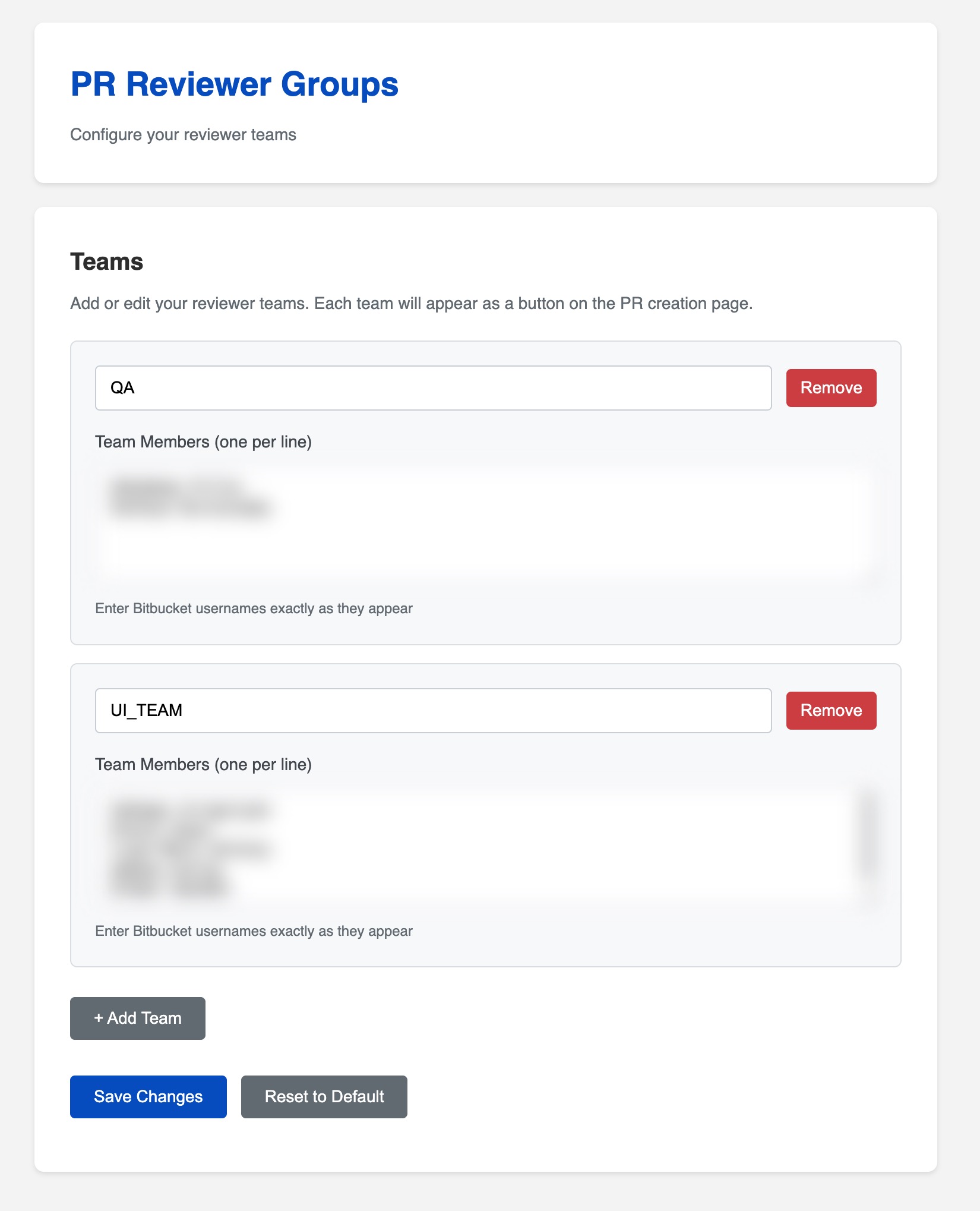
Each group has a name (what shows up on the button) and a list of Bitbucket usernames. Add as many groups as you need — UI Team, QA, Backend, whatever maps to how your team actually reviews.
Groups and members live in chrome.storage, so they sync across devices once you’re signed into Chrome.
How to get it
Get the extension from GitHub and load it unpacked from chrome://extensions/ to try it.